Migrating a LangChain application to Select Ax allows you to leverage an OpenAI-compatible API gateway to access a diverse catalog of frontier models without refactoring your orchestration logic. Since Select Ax maintains compatibility with standard OpenAI SDK interfaces, the integration process is primarily a configuration swap rather than a code rewrite. This approach enables instant access to features like Smart Select routing and pay-as-you-go pricing for models like DeepSeek, Kimi, and Qwen.
In this guide, you will learn how to point your existing LangChain `ChatOpenAI` instances to the Select Ax infrastructure. By updating your base URL and API keys, you can maintain your current LangChain agents while delegating model selection and cost-efficiency to the Select Ax API layer.
Prerequisites
- - An active Select Ax account with an API key - An existing LangChain project using `langchain-openai` - Python 3.9+ or TypeScript environment - Verified access to your environment variables configuration
Steps
- 1
Install Required Packages
Ensure you have the latest versions of the LangChain OpenAI integration packages installed. Run `pip install langchain-openai` or `npm install @langchain/openai` to ensure full compatibility with OpenAI-style endpoints.
- 2
Configure Environment Variables
Locate your environment configuration file and update the variables for the provider. Set your `OPENAI_API_KEY` (or a dedicated `SELECT_API_KEY`) to your new key and keep the credentials secure.
- 3
Update ChatOpenAI Client Configuration
Modify your `ChatOpenAI` object instantiation to include the Select Ax base URL. Set `base_url` (or `baseURL` in TypeScript) to 'https://api.select.ax/v1' to redirect traffic from standard OpenAI servers to Select Ax.
- 4
Select Your Target Model or Smart Select
Update the `model_name` parameter in your constructor to target a specific model, or use 'smart-select' to let the Select Ax API route your requests automatically. Using 'smart-select' is recommended for mixed workloads to optimize both cost and performance.
- 5
Verify and Run
Run your existing LangChain chain or agent workflow and inspect the responses. Verify that the output matches expectations while observing the significantly altered request routing in your Select Ax dashboard.
Code
from langchain_openai import ChatOpenAI

# Configure the client to point to Select Ax
llm = ChatOpenAI(
    model="smart-select",
    base_url="https://api.select.ax/v1",
    api_key="YOUR_SELECT_AX_API_KEY"
)

# Use it exactly like standard OpenAI LangChain
response = llm.invoke("Explain the benefits of model routing.")
print(response.content)
Pro tips
Default to Smart Select
Use the 'smart-select' model name to automatically route tasks to the most cost-effective and capable model for your specific prompt type.
Verify with cURL
If you experience connection errors, test your endpoint with a standard cURL request first to isolate configuration issues from your application code.
Monitor Costs Early
Check your Select Ax dashboard immediately after your first few requests to ensure your API usage and spending are tracking as expected.
Visual guide
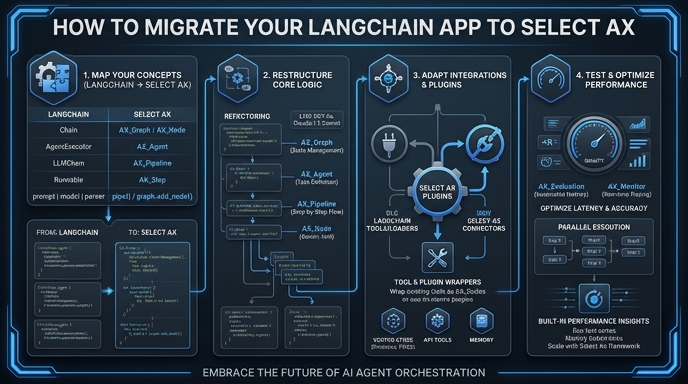
Route your models intelligently
Use one API key for routing, fallback, and cost control across model providers.
Route your models intelligently — try Select