Optimizing inference costs for large language models like DeepSeek V4 is essential for scaling production applications without blowing your budget. High-latency and high-cost token usage can quickly make complex pipelines unsustainable, especially as traffic grows. By implementing strategies such as prompt caching, effective context management, and output token limiting, you can significantly reduce your bill per request.
In this guide, we will walk through practical techniques to minimize token consumption and optimize your integration. You will learn how to structure your API calls for maximum efficiency while maintaining the response quality required for your use case.
Video guide
Prerequisites
- An active account with access to the DeepSeek inference provider.
- Python 3.9+ installed in your development environment.
- The OpenAI Python client library installed (pip install openai).
- A basic understanding of token usage and API payload structures.
Steps
- 1
Analyze Token Usage
Before optimizing, you must monitor your current token consumption per request. Use the usage object returned by the API response to identify if input or output tokens are the primary cost drivers.
- 2
Implement Prompt Caching
If your prompts contain static system instructions or long reference documents, cache these portions to avoid reprocessing them on every request. This drastically lowers input token billing for repetitive tasks.
- 3
Use Strict Max Tokens
Always define a 'max_tokens' limit in your request body to prevent the model from generating unnecessarily long, verbose responses. Set this to the minimum acceptable length for your specific task to conserve output costs.
- 4
Optimize Context Windows
Prune your chat history by summarizing past turns rather than sending the full conversation log. Only include the most relevant context needed for the model to answer accurately.
- 5
Implement Structured Output
Request responses in JSON format using structured output modes to ensure concise, machine-readable answers. This reduces the need for the model to generate 'filler' conversational text.
Code
from openai import OpenAI

client = OpenAI(
    base_url='https://api.select.ax/v1',
    api_key='your_api_key_here'
)

response = client.chat.completions.create(
    model='smart-select',
    messages=[{'role': 'user', 'content': 'Summarize this text in 50 words.'}],
    max_tokens=75,
    temperature=0.2
)

print(f'Tokens used: {response.usage.total_tokens}')
print(response.choices[0].message.content)
Pro tips
Use Lower Temperatures
Lowering the temperature reduces the randomness of output, which can often lead to shorter, more focused responses that consume fewer tokens.
Batch Requests
When possible, batch independent requests together to minimize the overhead cost of multiple HTTP handshakes.
Review System Prompts
Regularly audit your system prompts to ensure they are concise; unnecessary instructions in your system prompt are charged as input tokens every single time.
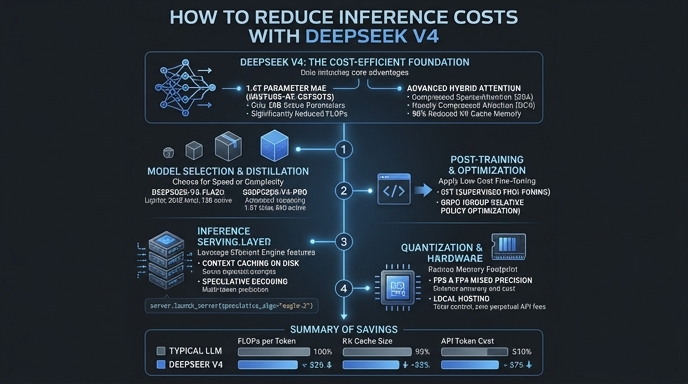
Visual guide
Route your models intelligently
Use one API key for routing, fallback, and cost control across model providers.
Route your models intelligently — try Select