Managing distinct API keys for every AI provider is a major friction point for developers building production-grade applications. By routing your requests through a unified gateway, you can switch between models and providers seamlessly without modifying your core application code or handling multiple authentication flows. This approach centralizes your integration points, simplifying configuration and enabling dynamic model switching. In this guide, you will learn how to configure a standard OpenAI-compatible client to route requests across different AI providers using a single API key. You will implement a flexible client that lets you call various models through a unified proxy endpoint.
Prerequisites
- A working Python development environment.
- The OpenAI Python SDK installed (pip install openai).
- A single API key from your AI gateway provider.
- Basic knowledge of HTTP headers and client initialization.
Steps
- 1
Install Necessary Dependencies
First, ensure you have the official OpenAI SDK installed in your environment. You can do this by running 'pip install openai' in your terminal.
- 2
Configure Your Gateway Client
Initialize your OpenAI client by pointing the 'base_url' to your provider's gateway endpoint. This intercepts requests so your single API key can be authenticated by the gateway proxy.
- 3
Set Up Authentication
Pass your single provider API key to the 'api_key' parameter during client instantiation. Ensure this key is kept secure, ideally loaded from an environment variable like 'OPENAI_API_KEY'.
- 4
Execute Multi-Model Requests
Call the chat completions endpoint as you normally would, but specify your target model. The gateway will resolve the model string and route it to the appropriate underlying provider.
- 5
Verify and Validate
Run your script to ensure responses are received correctly. You can inspect the logs to confirm the gateway is successfully routing your requests to the desired AI models.
Code
from openai import OpenAI; client = OpenAI(base_url='https://api.select.ax/v1', api_key='YOUR_API_KEY'); response = client.chat.completions.create(model='smart-select', messages=[{'role': 'user', 'content': 'Explain quantum computing in one sentence.'}]); print(response.choices[0].message.content)Pro tips
Use Environment Variables
Always load your API key from environment variables to prevent hardcoding secrets in your repository.
Implement Fallbacks
Configure your gateway rules to automatically failover to a cheaper or secondary model if your primary choice is unavailable.
Monitor Usage Metrics
Leverage the gateway's dashboard to track token usage and costs across all models from a single centralized view.
Visual guide
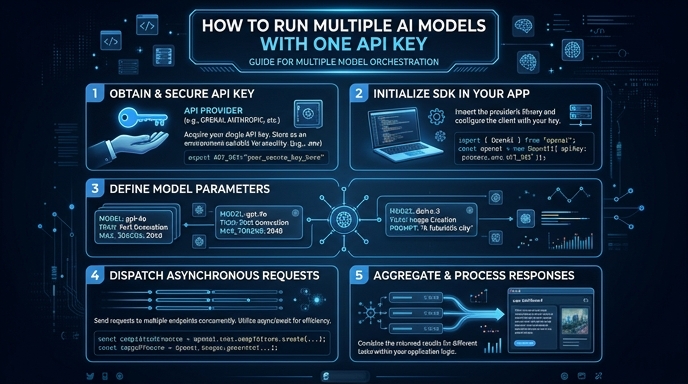
Route your models intelligently
Use one API key for routing, fallback, and cost control across model providers.
Route your models intelligently — try Select