Hermes Agent offers native support for a wide range of model providers, but sometimes you need to connect to a specific, self-hosted, or specialized OpenAI-compatible inference server. Configuring a custom endpoint allows you to bypass the built-in provider list and route your agent's traffic to any URL that adheres to the OpenAI API specification.
This guide will walk you through the process of setting up these endpoints via the Hermes CLI. You will learn how to point your agent at local services like Ollama or custom cloud instances, ensuring that your agent uses your preferred infrastructure without sacrificing core functionality.
Prerequisites
- - Hermes Agent successfully installed on your system - The base URL of your target inference server - The API key for your endpoint (if required by your provider) - The specific model name you intend to use with this endpoint
Steps
- 1
Launch the Model Selector
Open your terminal and execute the 'hermes model' command. This will trigger the interactive configuration wizard that manages your provider and model settings.
- 2
Select Custom Endpoint
Navigate through the list of available providers until you find the option labeled 'Custom endpoint'. Select this option to manually input your server configuration details.
- 3
Input Your Base URL
When prompted, enter the full API base URL for your inference server, typically ending in /v1 (e.g., http://127.0.0.1:11434/v1). Ensure that your server is running and reachable from your local machine before proceeding.
- 4
Provide Authentication Credentials
Enter your API key when asked. If you are connecting to a local instance that does not require authentication, you can leave this field blank or press Enter to skip.
- 5
Specify and Verify the Model
Enter the exact model name required by your API provider. The agent will attempt a handshake with the endpoint; if successful, it will save the configuration to your environment and make it the active provider.
Code
from openai import OpenAI

client = OpenAI(
    base_url="https://api.select.ax/v1",
    api_key="your_api_key_here"
)

response = client.chat.completions.create(
    model="smart-select",
    messages=[{"role": "user", "content": "Explain how custom endpoints work in Hermes Agent."}]
)

print(response.choices[0].message.content)
Pro tips
Verify Context Length
Ensure your custom model configuration sets a context window size compatible with your model's capabilities to prevent truncation errors.
Use Environment Variables
For automated deployments, you can skip the interactive wizard by directly exporting the base URL and API key variables into your shell environment.
Check Health First
Always test your custom endpoint URL with a simple curl command to confirm the server is responsive before configuring it within Hermes.
Visual guide
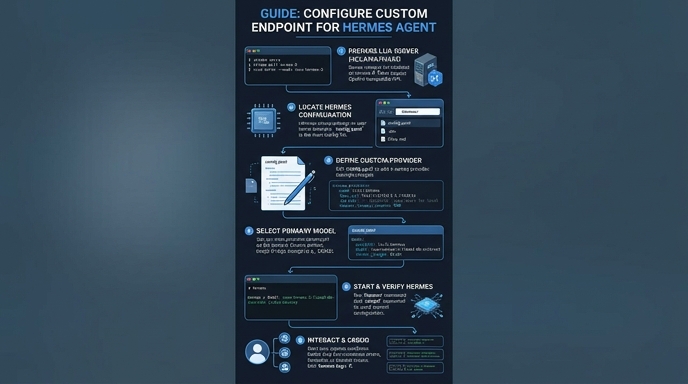
Route your models intelligently
Use one API key for routing, fallback, and cost control across model providers.
Route your models intelligently — try Select