Session pinning, or sticky sessions, ensures that a user's multi-turn interactions are consistently routed to the same inference instance or backend node. By maintaining state affinity, you avoid issues like broken streaming responses, loss of conversational context, and inconsistent token latency often caused when stateless load balancers distribute requests from a single conversation across different model instances.
In this guide, you will learn how to configure an AI routing layer to detect session identifiers and enforce persistence. This implementation allows you to leverage efficient load balancing while maintaining the strict continuity required by stateful AI agents, streaming responses, and RAG-based context sessions.
Prerequisites
- - An accessible AI gateway or middleware capable of inspecting HTTP headers. - A fast-access store like Redis or an in-memory dictionary for mapping Session IDs to instance IDs. - The OpenAI SDK installed in your development environment (pip install openai). - A basic understanding of middleware request interception in your backend framework.
Steps
- 1
Identify Your Session Context
Determine a unique identifier for your user sessions, such as a user ID, conversation UUID, or a generated session token. This identifier must be passed as an HTTP header (e.g., 'X-Session-ID') in every request to your AI gateway.
- 2
Configure the Routing Store
Initialize a fast key-value store, like Redis, to map Session IDs to specific backend model instances. Set a time-to-live (TTL) on these entries to ensure stale sessions are automatically purged from your routing table.
- 3
Implement Header Interception Middleware
Create middleware for your gateway that intercepts incoming API requests and extracts the 'X-Session-ID' header. If the header is missing, generate a new session ID and ensure it is communicated back to the client via a response header.
- 4
Execute Pinning Logic
Inside your middleware, check if the extracted Session ID exists in your routing store. If it exists, route the request to the pinned instance; if not, perform a load-balanced selection and write the new mapping to your store.
- 5
Validate Throughput and Routing
Test your implementation by sending a sequence of requests with the same Session ID and monitoring the server logs. Verify that all requests are directed to the same backend destination rather than being distributed across the cluster.
Code
from openai import OpenAI

# Configure the client to hit your AI gateway
client = OpenAI(
    base_url="https://api.select.ax/v1",
    api_key="your_api_key_here"
)

# The session_id ensures consistent routing if your gateway supports it
user_session_id = "sess_abc123_xyz"

response = client.chat.completions.create(
    model="smart-select",
    messages=[{"role": "user", "content": "Continue my previous conversation."}],
    extra_headers={
        "X-Session-ID": user_session_id
    }
)

print(response.choices[0].message.content)
Pro tips
Consistent Hashing
Use consistent hashing for your backend node selection to minimize re-routing overhead when adding or removing instances from your cluster.
Graceful Eviction
Handle 'pin-eviction' gracefully by checking health status; if a pinned node is down, route the request to a healthy node and update the session pin immediately.
Monitor Cache Misses
Track your session-pinning cache miss rate; a high miss rate often indicates your TTL settings are too aggressive or your session IDs are not propagating correctly.
Visual guide
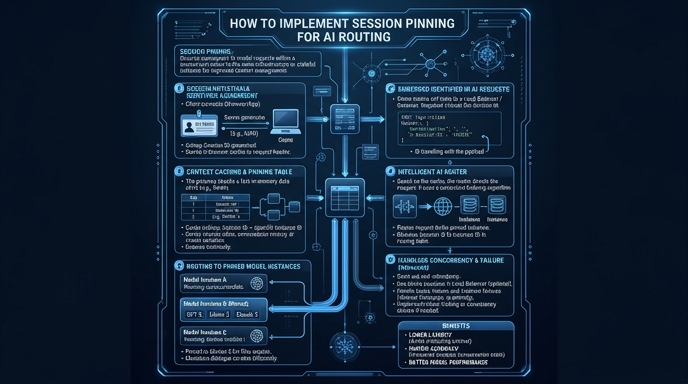
Route your models intelligently
Use one API key for routing, fallback, and cost control across model providers.
Route your models intelligently — try Select