Streaming responses from an LLM API significantly improves perceived latency by delivering tokens as they are generated rather than waiting for the complete completion. This pattern is essential for chat interfaces where the user expects real-time feedback, providing a more responsive and engaging user experience.
In this guide, you will learn how to implement streaming using the standard OpenAI SDK against a custom-hosted or third-party OpenAI-compatible endpoint. We will cover initializing the client, configuring the request for streaming, and consuming the event stream efficiently in your application code.
Prerequisites
- Basic knowledge of Python and familiarity with the openai SDK.
- An active API key for your target service.
- The openai Python library installed via pip.
- A target endpoint URL configured for OpenAI compatibility.
Steps
- 1
Install the Required Library
Ensure you have the latest OpenAI Python SDK installed in your environment. Run 'pip install openai' in your terminal to fetch the necessary dependencies for handling HTTP requests and stream processing.
- 2
Initialize the Client
Configure the OpenAI client with your specific base URL and API key. You must point the 'base_url' to your service's endpoint rather than the default OpenAI address, while leaving the 'api_key' parameter as your secret token.
- 3
Configure the Streaming Request
When calling the 'client.chat.completions.create' method, explicitly set the 'stream' parameter to 'True'. This instructs the server to return an event stream instead of a single blocking JSON response.
- 4
Iterate Over the Response Stream
The SDK returns a generator object when streaming is enabled. Use a standard 'for' loop to iterate through each chunk received from the server, allowing you to access incremental data immediately.
- 5
Extract Content from Chunks
Inside the loop, check each chunk for the presence of content in 'choices[0].delta.content'. Concatenate these small strings into your UI buffer or output stream to update the display in real-time.
Code
from openai import OpenAI

client = OpenAI(
    base_url="https://api.select.ax/v1",
    api_key="your_api_key_here"
)

stream = client.chat.completions.create(
    model="smart-select",
    messages=[{"role": "user", "content": "Explain the benefits of streaming." }],
    stream=True
)

for chunk in stream:
    content = chunk.choices[0].delta.content
    if content:
        print(content, end="", flush=True)
Pro tips
Handle Flush Operations
Always use 'flush=True' when printing to the console to ensure tokens appear immediately without waiting for the output buffer to fill.
Monitor Connection Timeouts
Streaming requests may stay open for several seconds; ensure your client timeout settings are high enough to accommodate longer generation times.
Graceful Error Handling
Wrap your stream consumption in a try-except block to gracefully handle network interruptions that might occur mid-generation.
Visual guide
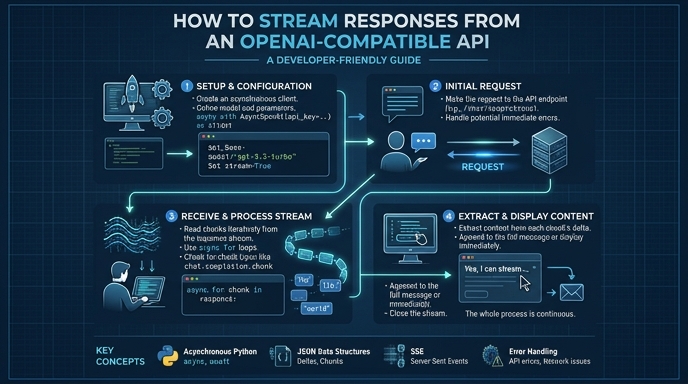
Route your models intelligently
Use one API key for routing, fallback, and cost control across model providers.
Route your models intelligently — try Select