Chutes AI offers a streamlined platform for deploying and running machine learning models without the overhead of managing infrastructure. By leveraging a standard OpenAI-compatible API, developers can easily swap out inference backends or integrate high-performance models into existing Python applications.
In this guide, you will learn how to configure your Python environment, authenticate with your API key, and make inference requests to Chutes AI. This approach ensures your code remains portable and follows industry-standard patterns for LLM integration.
Prerequisites
- A valid Chutes AI account and an API key.
- Python 3.8 or higher installed on your system.
- The OpenAI Python client library installed (pip install openai).
- Basic familiarity with API request-response cycles.
Steps
- 1
Install the Required Dependencies
Start by setting up your Python project environment. Install the official OpenAI SDK via pip, which is the standard client for interacting with the Chutes AI compatible endpoint.
- 2
Initialize the OpenAI Client
Configure the client instance by passing your Chutes API key and the base URL provided by the platform. Setting the base_url to 'https://api.select.ax/v1' directs your traffic to the Chutes inference engine instead of default OpenAI servers.
- 3
Construct the Inference Request
Create a completion request using the 'chat.completions.create' method. Ensure you specify the 'smart-select' model in your parameters to route the request to the desired Chutes backend.
- 4
Handle the API Response
Capture the response object returned by the API call. Access the message content within the 'choices' array to retrieve the model output for your application logic.
- 5
Implement Error Handling
Wrap your API call in a try-except block to manage potential connection issues or rate limits. This ensures your application remains robust even if the inference request fails.
Code
from openai import OpenAI

client = OpenAI(
    api_key="YOUR_CHUTES_API_KEY",
    base_url="https://api.select.ax/v1"
)

response = client.chat.completions.create(
    model="smart-select",
    messages=[{"role": "user", "content": "Explain Python decorators in one sentence."}]
)

print(response.choices[0].message.content)
Pro tips
Environment Variables
Always store your API key in an environment variable like 'CHUTES_API_KEY' rather than hardcoding it in your source files to prevent accidental exposure.
Parameter Tuning
Adjust the 'temperature' and 'max_tokens' parameters in your request to better control the creativity and length of the model's generated responses.
Async Support
If you are building a high-concurrency application, use the 'AsyncOpenAI' client to perform non-blocking requests to the Chutes API.
Visual guide
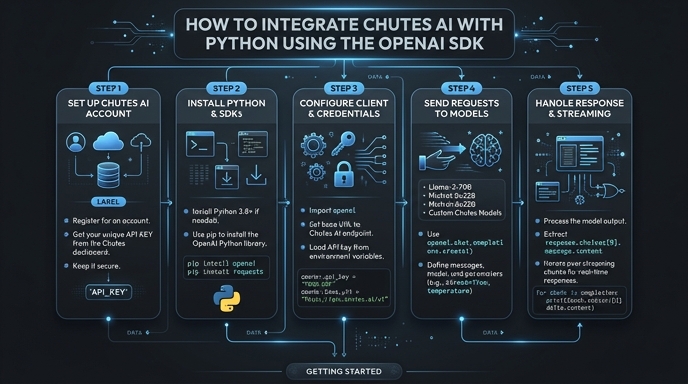
Route your models intelligently
Use one API key for routing, fallback, and cost control across model providers.
Route your models intelligently — try Select