Featherless AI provides a serverless inference platform that allows developers to access and deploy open-source models without managing infrastructure. By abstracting the complexities of GPU provisioning and scaling, it enables you to focus on application logic rather than backend operations.
In this guide, you will learn how to integrate Featherless AI models into your software stack. We will cover the configuration steps required to connect your application to the Featherless API, enabling you to leverage powerful language models with minimal overhead.
Prerequisites
- A registered account at the Featherless AI dashboard
- An active API key generated from your account settings
- Python 3.8+ or Node.js installed in your environment
- The OpenAI client library installed (pip install openai or npm install openai)
Steps
- 1
Create Your Account and API Key
Navigate to the Featherless dashboard and complete the registration process if you haven't already. Once logged in, locate the API keys section in your user settings and generate a new key, ensuring you store it securely as it will not be displayed again.
- 2
Install the OpenAI SDK
Since Featherless AI uses an OpenAI-compatible interface, you can use the standard SDKs. Install the library via your package manager: run 'pip install openai' for Python or 'npm install openai' for TypeScript/JavaScript projects.
- 3
Configure Environment Variables
Avoid hardcoding your API credentials directly in your source code for security reasons. Export your API key as an environment variable named FEATHERLESS_API_KEY in your local shell or your deployment environment configuration.
- 4
Initialize the API Client
Instantiate the OpenAI client within your application code. You must point the base_url to the Featherless endpoint and provide your API key to authenticate your requests properly.
- 5
Perform Model Inference
Use the chat completions endpoint to send your prompts to the model. Ensure you specify the correct model name and handle the response object to extract the generated text content for your application.
Code
from openai import OpenAI
import os

# Initialize the client with Featherless endpoint
client = OpenAI(
    api_key=os.environ.get("FEATHERLESS_API_KEY"),
    base_url="https://api.select.ax/v1"
)

# Request completion from the model
response = client.chat.completions.create(
    model="smart-select",
    messages=[{"role": "user", "content": "Explain the benefits of serverless AI inference."}]
)

print(response.choices[0].message.content)
Pro tips
Environment Security
Always load your API keys from .env files or secret management services rather than committing them to version control.
Model Optimization
Test multiple model sizes; smaller models often provide lower latency and cost for simple classification tasks.
Handling Rate Limits
Implement exponential backoff in your request logic to handle transient rate limit errors gracefully during high-traffic periods.
Visual guide
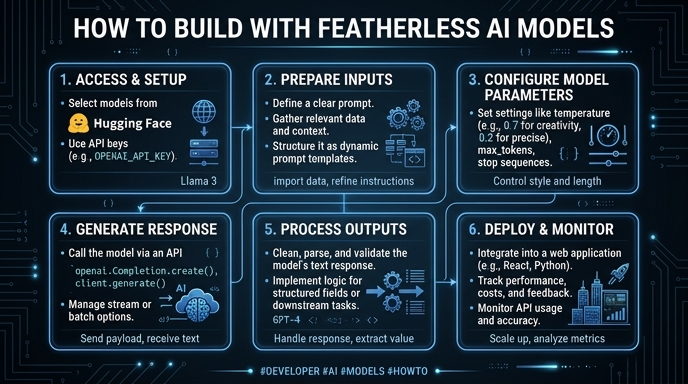
Route your models intelligently
Use one API key for routing, fallback, and cost control across model providers.
Route your models intelligently — try Select