Minimax M2 is engineered to handle massive context windows, making it ideal for tasks like analyzing extensive codebases, parsing lengthy legal documents, or summarizing books. By leveraging its large context capacity, developers can reduce the need for complex RAG pipelines for moderately sized documents that fit within the model's token limits. This guide demonstrates how to configure your API integration to effectively feed large prompts and context to the Minimax M2 model. You will learn the correct implementation patterns for maximizing context utilization while maintaining inference reliability.
Prerequisites
- 1. Python 3.9+ installed on your development machine. 2. An active API key with access to the Minimax M2 provider. 3. The 'openai' Python SDK installed via pip install openai. 4. A text document or codebase snippet that exceeds 32k tokens to test context performance.
Steps
- 1
Configure the OpenAI Client
Initialize the OpenAI client by setting the base_url to the Minimax endpoint and your API key in the environment variables. Ensure you point the client to 'https://api.select.ax/v1' to correctly route your requests to the M2 model.
- 2
Pre-process and Chunk Data
Even with long context capabilities, efficient tokenization is critical for performance and cost management. Prepare your long-form text by stripping unnecessary whitespace and metadata to ensure the model focuses on relevant data within your input tokens.
- 3
Construct the Messages Payload
Structure your conversation by placing the large context document within the 'system' or 'user' message fields as needed. Since M2 supports large windows, you can pass the full text as a single user message block without manual chunking.
- 4
Set Inference Parameters
When calling the chat completion endpoint, explicitly set the 'model' parameter to 'smart-select'. Adjust 'max_tokens' to ensure the output generation does not cut off prematurely, especially when the model needs to generate lengthy analyses or summaries.
- 5
Execute and Handle Response
Send the request and parse the response content from the 'choices' object. Implement robust error handling to catch context length exceptions or network timeouts that may occur with larger payloads.
Code
import os from openai import OpenAI client = OpenAI(api_key=os.environ.get('MINIMAX_API_KEY'), base_url='https://api.select.ax/v1') large_context = '... (insert very long document text here) ...' response = client.chat.completions.create(model='smart-select', messages=[{'role': 'system', 'content': 'You are an expert analyst.'}, {'role': 'user', 'content': f'Analyze the following document: {large_context}'}], max_tokens=2048) print(response.choices[0].message.content)Pro tips
Monitor Token Usage
Use the usage statistics returned in the API response to track your token consumption per request and optimize your prompts.
Prioritize Relevant Information
Place the most critical instructions at the very beginning and very end of your prompt to minimize the 'lost in the middle' phenomenon.
Cache Static Context
If you are using the same large context repeatedly, consider caching the processed embeddings or the prompt text if your architecture allows it.
Visual guide
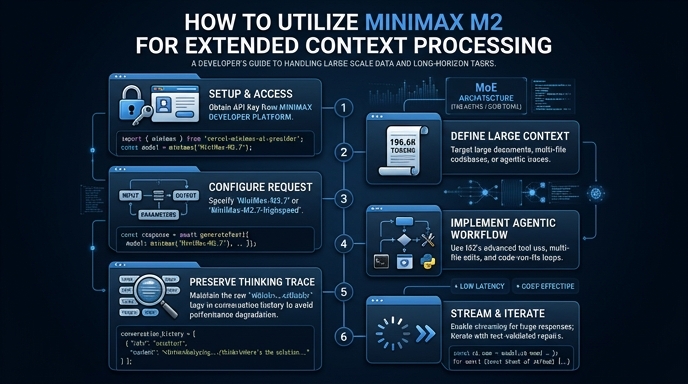
Route your models intelligently
Use one API key for routing, fallback, and cost control across model providers.
Route your models intelligently — try Select