Select.ax provides an intelligent routing layer for LLM inference, allowing developers to optimize costs and performance by dynamically selecting the most appropriate model for a given prompt. By integrating Select.ax into your existing Python workflow, you can handle model selection logic centrally rather than hardcoding endpoints for specific tasks. This guide walks through setting up the OpenAI-compatible Python SDK to interface with the Select.ax API, enabling seamless model routing for your applications. You will learn how to initialize the client, configure your routing parameters, and execute inference calls using the 'smart-select' model.
Prerequisites
- A valid Select.ax API key.
- Python 3.8 or higher installed on your system.
- The OpenAI Python client library installed via `pip install openai`.
- Basic familiarity with async/await patterns in Python.
Steps
- 1
Install the OpenAI SDK
Install the standard OpenAI Python package using pip. This library is fully compatible with the Select.ax API architecture, allowing you to use existing patterns without specialized middleware.
- 2
Initialize the Client
Configure the OpenAI client instance by pointing the base_url to the Select.ax endpoint. Ensure you provide your API key securely, preferably via an environment variable like SELECT_AX_API_KEY.
- 3
Configure Request Parameters
When calling the chat completions endpoint, set the model parameter to 'smart-select'. This directs the Select.ax routing engine to analyze your input and determine the optimal underlying model for your request.
- 4
Execute Inference
Construct your message payload as you would with a standard OpenAI request. The SDK will send this payload to Select.ax, which processes the routing logic before returning the final completion response.
- 5
Handle Response and Logging
Parse the returned completion object to access the generated content. Monitor the response headers or metadata if available to track which specific model was selected by the routing engine for each individual request.
Code
import os
from openai import OpenAI

client = OpenAI(
    base_url="https://api.select.ax/v1",
    api_key=os.environ.get("SELECT_AX_API_KEY")
)

response = client.chat.completions.create(
    model="smart-select",
    messages=[
        {"role": "system", "content": "You are a helpful assistant."},
        {"role": "user", "content": "Explain how to optimize LLM routing."}
    ]
)

print(response.choices[0].message.content)
Pro tips
Environment Variables
Always load your API key from an environment variable rather than hardcoding it into your scripts to ensure better security.
Streaming Responses
The 'smart-select' model supports standard streaming; simply set stream=True in your request to handle long-running responses incrementally.
Context Management
Keep your system prompts concise to ensure the routing engine makes faster and more accurate decisions regarding the appropriate model.
Visual guide
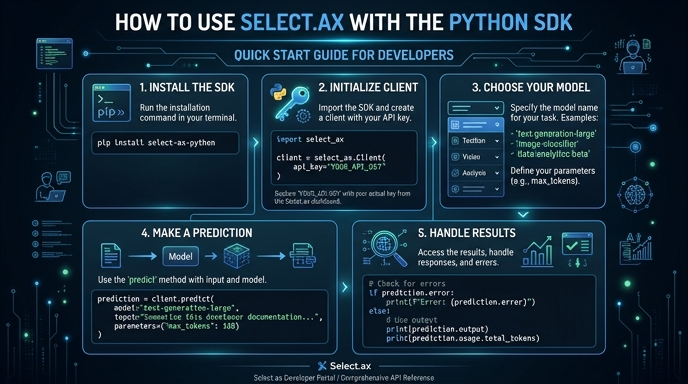
Route your models intelligently
Use one API key for routing, fallback, and cost control across model providers.
Route your models intelligently — try Select